Shoot the job. SnapHound does the rest.
Every photo and video comes out named, timestamped, and organized the way you need it.
No photo log, no renaming. Works even with no signal.
Built for every crew that documents in the field, inspections, claims, job sites, service calls, and more.
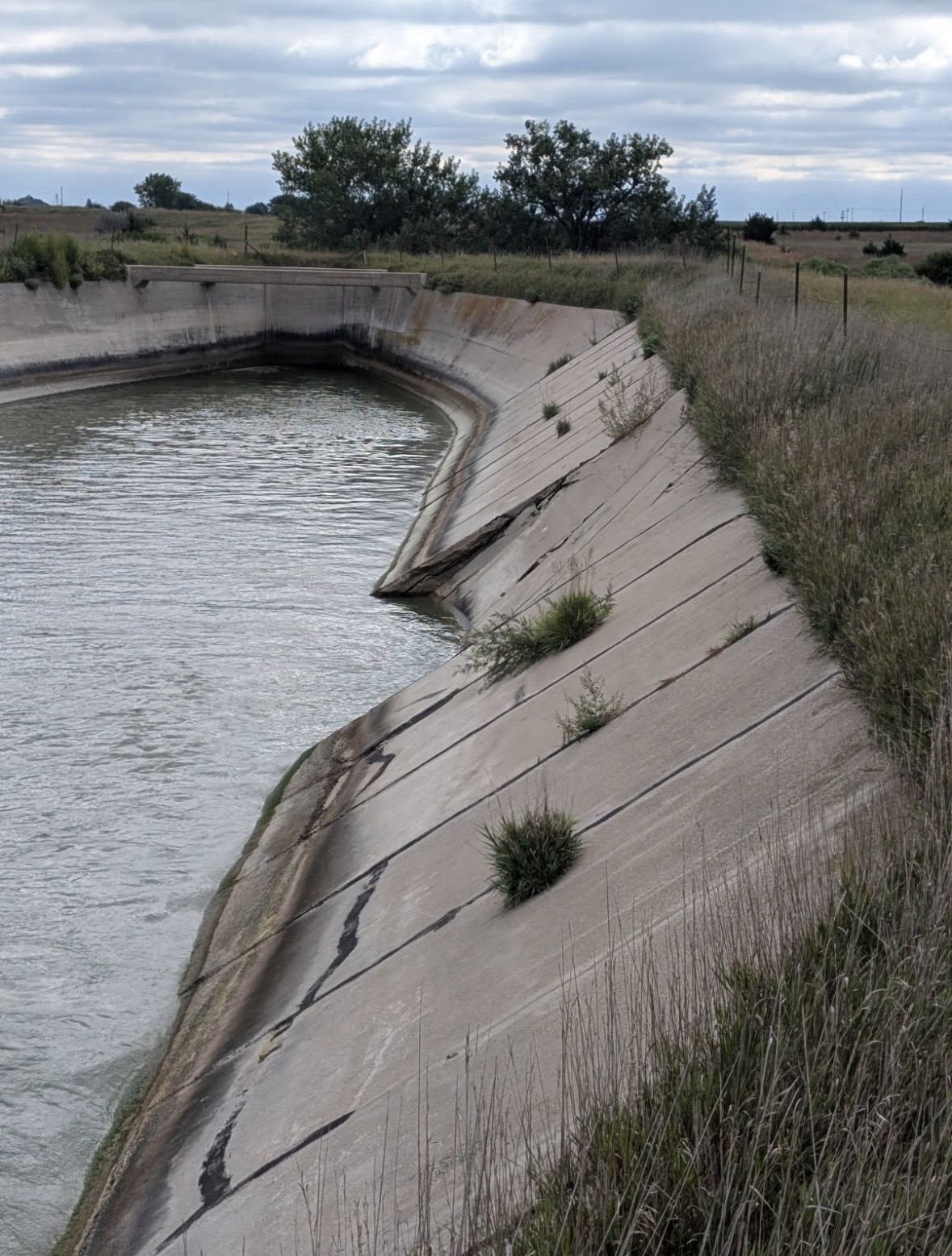 Side slope — Cracking and displacement of concrete lining
2025-09-26 13:39
Side slope — Cracking and displacement of concrete lining
2025-09-26 13:39
 Built by a working inspector
Done before you're back in the truck
Everything you used to do after a site visit is already finished.
The old way
-
Keep a photo log in the field -
Download everything to the computer -
Rename every file -
Sort them into folders
With SnapHound
- Named to your format
- Filed in the folder you captured it in
- Backed up automatically
- Ready to review or export
Build the filename once.
Use it forever.
Name files your way. SnapHound doesn't lock you into one naming scheme. Build your own filename template from the built-in tokens, or add your own custom tokens. Set the custom token values per folder, and every photo and video comes out matching your format.
Suggests the folder. Flags the mistake.
SnapHound ties your folders to the job site. When you arrive, it recognizes the location and suggests the folders you've already created there. No more scrolling through every job to find the right one. And if a photo ends up in a folder far from where its other photos were taken, SnapHound flags it before the mistake gets buried.
- Nearby folders suggested based on your location
- Pin your go-to folders to the top for quick access
- A misfiled-photo warning (off per folder for jobs that span multiple sites)
- Works fully offline, syncs when you're back online
Show it on the shot
Mark up the photo, show the subject and details as text, and stamp the date and time. Each has its own on/off switch. Whatever you turn on burns into the exported file, so the shot speaks for itself. Markup is photos only; text and timestamp work on video too.
- Markup lets you draw on the photo: arrows, shapes, dimensions, and text boxes
- Show the subject and details as text on the shot
- Stamp the capture date and time
- Everything you enable burns into the exported photo or video
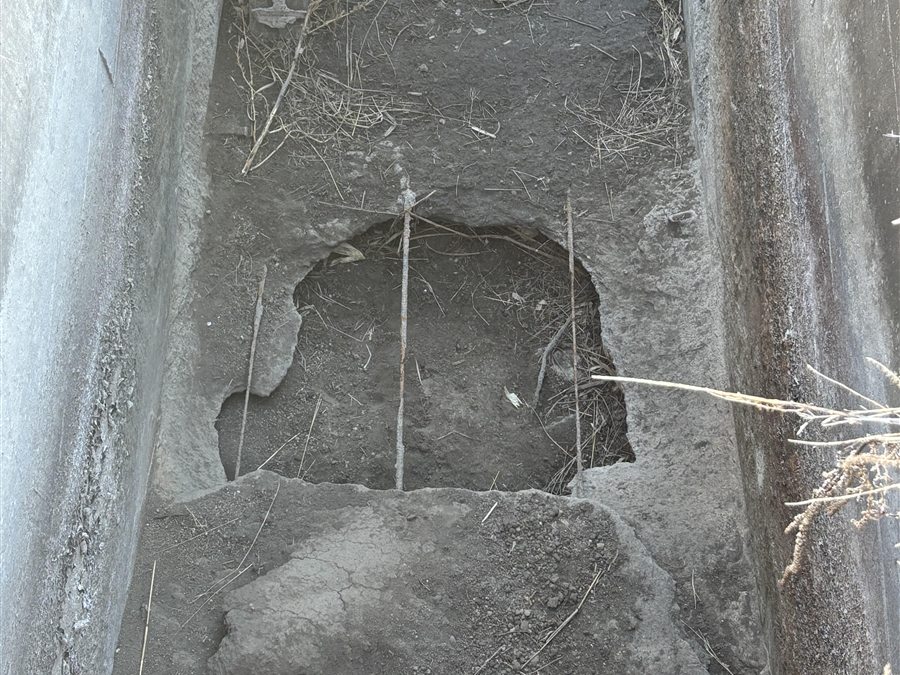 Floor — 3′ × 3′ hole in structure floor
2026-01-06 14:49
Floor — 3′ × 3′ hole in structure floor
2026-01-06 14:49
Tag now, find it later
Add photo and video tags as you go — they're what make a folder searchable later.
- Filter a folder by a single tag, or stack several at once
- Match any to show shots with at least one of the selected tags, or match all to show only shots tagged with all selected tags
- Filter by year to pull up a past season's work
One workspace for the whole crew
Everyone on the crew contributes to the same organized record, so the job's photos and videos come together in one place. Alert a teammate on a photo or video to flag an issue and they're notified on the spot. Roles keep everyone in the right lane, and nothing walks out the door when someone leaves.
- A running history of who added which photos and videos, and where
- Alert a teammate right from a photo or video
- Shared folders with owner, admin, and member roles
- Work stays with the company, even when people move on
Shoot the job. Skip the desk.
Free to try. Capture and review right in the app, or open the web dashboard to review and export on a bigger screen. Everything comes out named, filed, and backed up on its own.